OTP Website Guide: Free vs. Paid Ways to Receive SMS Online (2026)
An OTP website gives you a temporary number to receive one-time SMS codes without your own SIM. Here is how free public sites compare with paid private numbers, and why free ones often fail.
· 4 min read
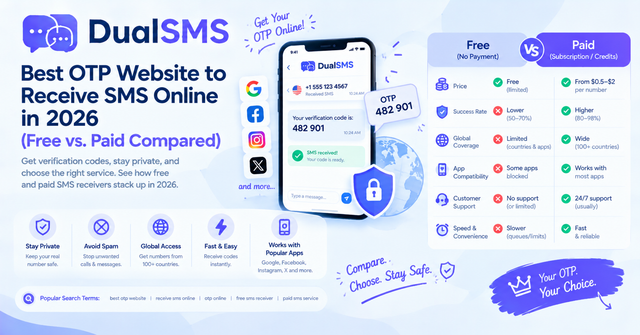
An OTP website is a service that gives you a temporary phone number so you can receive a one-time password (OTP) by SMS when you sign up for an app or site without using your own SIM card. People who use an OTP website are usually privacy-minded users, people without a local mobile number, testers, and anyone who wants to keep a personal number off a new account.
How an OTP website works
You choose a number from the site, enter it into the app's sign-up form, and wait for the text. The OTP website then displays the incoming message so you can copy the code back into the app. Most codes arrive within seconds, but they also expire after a short window, so you should be ready to enter them quickly.
Free OTP sites vs. paid private numbers
Free and paid options differ mainly in privacy, reliability, and what happens when something goes wrong. The table below compares them by category rather than by exact figures, because results depend on the app you are verifying.
| Feature | Free public number sites | Paid private numbers (such as DualSMS) |
|---|---|---|
| Privacy | Low. The number is shared, and anyone can open the page and read messages sent to it. | Higher. The number is assigned for your order, and other visitors do not see its messages. |
| Success rate | Often low. Many apps have already flagged or blocked publicly listed numbers. | Varies by app. Generally better than public numbers, but no paid service can guarantee every app will accept a number. |
| Reuse | Poor. Messages from other users can mix in, and the same number may be used for the same app by many people. | Better, since the number and its inbox are tied to your purchase. |
| Speed | Variable. It depends on how busy the shared number is. | Fast. The code appears on the order page within seconds of arriving. |
| Cost | Free, often with ads or usage limits. | Pay per number. |
| Refund if no SMS arrives | Not applicable. | Automatic refund if no SMS arrives, under the site's terms. |
Free is not automatically a bad choice for casual reading or testing, but it is a poor choice for accounts you care about.
Why free OTP sites fail
Free OTP sites tend to fail for two honest reasons.
1. Shared public numbers that anyone can read. A public number is visible to everyone who visits the page. If you sign up with one, another person may request a code for the same app and see yours, or may grab the code first. Even if the code is single-use, you could lose the race, and the account you create may be tied to a number you no longer control. That can make recovery harder later.
2. Numbers already blocked by apps. Many large apps detect numbers that are publicly listed and repeatedly used for sign-ups. When that happens, the app either never sends the SMS or shows an error saying the number cannot receive codes. Once a public number has been flagged, it is useless for everyone who visits the site after that.
These problems are not fixed by refreshing the page or trying another free number. They come from how public numbers are shared.
How to get an OTP on DualSMS in 60 seconds
This walkthrough assumes the app sends its code promptly. Timing depends on the app and the network, so treat 60 seconds as a target, not a promise.
- Open the page for your app. For example, use the WhatsApp number page or the Telegram number page. [Screenshot 1: the app's number page showing the available options]
- Select a number and complete the payment for that number. [Screenshot 2: the number selection and payment confirmation]
- Copy the number. In the app's sign-up screen, choose the correct country code, then paste the number into the phone field. [Screenshot 3: the number pasted into the app's phone field]
- Tap the button in the app to send the code. [Screenshot 4: the app's screen confirming that a code was sent]
- Go back to the DualSMS order page. The code appears there within seconds. Copy it and enter it in the app. [Screenshot 5: the SMS code displayed on the order page]
- If no SMS arrives, you are refunded automatically according to the site's terms.
If you are verifying an account on another service, the same steps apply. For example, you can use the Google, Gmail and YouTube page or the Discord page.
Tips for choosing an OTP website
- Check whether the number is described as private and assigned to your order.
- Read the refund terms before you pay, especially what counts as no SMS received.
- Match the number's country to the app's requirements, and use the correct country code in the sign-up form.
- Add a recovery email or other backup method to any account you create, so you are not locked out if the number stops working.
- Only use numbers for accounts where this is allowed. Do not use an OTP number to get around an app's rules, age limits, or identity checks.
- Compare the cost of a paid number with the time you would lose on a free site that fails. For a single important account, a paid number is often the more practical choice.
Summary
An OTP website is useful when you need a code but do not want to use your own SIM. Free public sites are simple to find, but shared numbers are visible to others and are often blocked by apps. A paid private number costs money, but it gives you a number tied to your order, faster code display, and an automatic refund if no SMS arrives.
Questions people ask
What is an OTP website?
An OTP website provides a temporary phone number so you can receive a one-time password by SMS when you sign up for an app or service without using your own SIM card.
Are free OTP websites safe to use?
Free OTP websites use shared public numbers, so anyone can see messages sent to them. Avoid them for accounts you care about, and never use them for anything involving sensitive personal information.
Why does an app say my OTP number cannot receive codes?
Many apps detect and block numbers that are publicly listed or used repeatedly for sign-ups. This is common with free public numbers, and a blocked number cannot be fixed by retrying it.
How fast does the OTP code appear on DualSMS?
On DualSMS the code appears on the order page within seconds of the SMS arriving. Total time depends on how quickly the app sends the code.
What happens if no SMS arrives on a paid OTP number?
DualSMS offers an automatic refund if no SMS arrives, according to its terms. Check the terms on the site before you pay.
Keep reading

Virtual Number for OTP: Receive Verification Codes Without a SIM
A virtual number lets you receive OTP codes online without your own SIM card. Learn how it works, the difference between VoIP and non-VoIP numbers, and when you should not use one.
· 5 min read
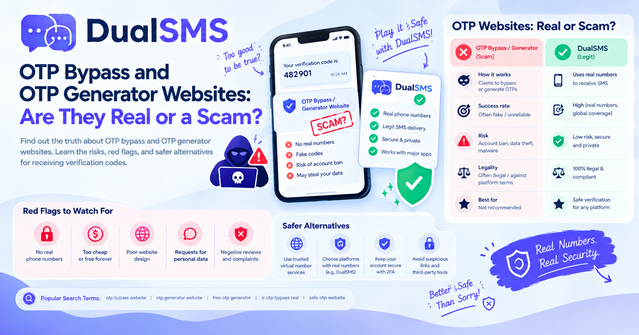
OTP Bypass and OTP Generator Websites: Real or a Scam?
OTP bypass and OTP generator websites promise to create login codes for any app. No website can do that for an app it doesn't control, so these sites are almost always scams that steal accounts or money.
· 5 min read
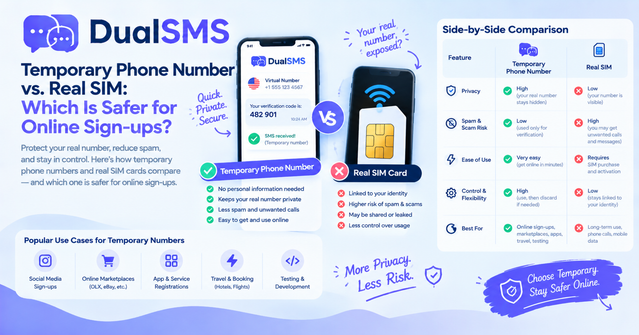
Temporary Phone Number vs. Real SIM: Which Is Safer for Sign-Ups?
A temporary phone number is the better choice for one-time sign-ups where you want to keep your personal number private. A real SIM is the better choice for banking and your main accounts.
· 5 min read