Can You Create a Gmail Account Without a Phone Number in 2026?
Sometimes, but not reliably. Google skips the phone step on some signups and often requires it, so this guide covers official options first, then virtual numbers for privacy and the "cannot be used for verification" error.
· 6 min read

Short answer: sometimes. Google does not always ask for a phone number when you create a Gmail account, but in many cases it does, especially on a new device, from an unfamiliar network, or when its systems flag the signup as unusual. Google's rules and checks change without notice, so you cannot count on skipping the step. Plan for a phone number, and treat a skipped step as a bonus.
This guide covers the official routes first, then explains how a virtual number works if you want more privacy, and what to do if you see the error “This phone number cannot be used for verification.”
Official ways to create a Gmail account
These options come straight from Google's own signup flow or account types. None of them guarantees that the phone step is skipped.
- Sign up during phone setup. On Android, the device setup process includes a Google account step. Depending on your device, region and Google's current flow, it may ask for fewer verification steps than a browser signup. Whether this works varies.
- Use a normal browser session. Signing up from a regular browser on a home or mobile network, with no VPN, no private relay and no proxy, can look more ordinary to Google. Clearing old sign-in attempts and using a single device also helps.
- Look for “Use my current email address instead.” Some signup forms offer this link. It lets you use an existing email address as your sign-in name. It does not always remove verification, but it is worth checking.
- Create a supervised account with Family Link. A parent can set up and manage a Google account for a child through Google Family Link. This is designed for children under the parent's supervision, and it is not a general workaround for adults who want an unsupervised account without a phone number.
- Use a work or school account. If your organization provides Google Workspace, the administrator creates the account. Whether a phone number is needed depends on the organization's settings, not on you.
If none of these work, you will usually be asked for a phone number to verify the account. That is the point where you choose between using your own number and using a temporary one.
Why Google asks for a phone number
Google asks for a phone number mainly for three reasons: to reduce spam and automated account creation, to confirm that a real person is behind the account, and to help you recover access if you forget your password or lose control of the account. A recovery phone number is one of the most important security settings on a Google account. Without one, recovery can be much harder.
Because of this, the phone step is most likely to appear when you create a brand-new account, use a new device, or sign up from an IP address Google sees as high-risk.
Using a virtual number for Gmail
A virtual number is a temporary phone number you rent to receive a one-time SMS code. It is an option for people who do not want to link their personal SIM to a new account, for example when signing up for a second account for a hobby, a test, or a separate work purpose.
It is not a guarantee. Google may reject some virtual or VoIP numbers, and a number that has been used on many accounts may stop working. Treat it as one tool among several, not as a sure way through.
How it works
- Open Google's signup page and enter your name, birthday, username and password.
- When Google asks for a phone number, select the country it shows and enter the number from your virtual number service. The number must match the country you choose on the page.
- Wait for the code. On DualSMS, the code appears on the page in seconds for Google, Gmail and YouTube verification, and you can enter it into Google's form.
- If no SMS arrives, request a new code once. If it still does not come through, use the refund option described on the service's terms. Pay-per-number services usually refund a number that fails to deliver, but check the exact conditions before you pay.
For more details on the service, see the Google, Gmail and YouTube verification page.
Limits to understand before you start
- Account recovery may be difficult. A temporary number may expire or stop receiving messages. If you forget your password later, you may not be able to get a code. Add a recovery email you control.
- Only use it for accounts you are allowed to create. Creating accounts to evade bans, to pose as someone else, or to break a service's terms can get accounts suspended. Do not use a virtual number for that.
- Keep your account secure. Turn on two-step verification where Google offers it, and store backup codes somewhere safe.
- Do not reuse one number across many accounts. Numbers used repeatedly are more likely to be flagged.
The “This phone number cannot be used for verification” error
This is one of the most common messages people see when they try to verify a Gmail account with a non-personal number. The message means Google will not accept the number you entered for this signup. It does not always mean the number is broken, and Google does not usually explain the exact reason.
Common causes include:
- The number is already linked to too many accounts. Google limits how many accounts can be tied to one phone number.
- The number is flagged as a virtual or VoIP number. Some providers of these numbers are blocked for Google sign-up.
- The country does not match the number. If the country selected on the form is different from the number's country, verification can fail.
- The number has been used recently for a similar signup. Repeated attempts from the same network or number can trigger a block.
- Your signup looks unusual. A new device, VPN or unfamiliar location can make Google stricter.
What to do
- Check the country. Make sure the country on the form matches the number you are using.
- Try a different number. A new number from the same service may work where the first one failed.
- Wait and retry later. Some blocks are temporary. Try again after a few hours on a stable connection.
- Remove VPNs and proxies while you sign up, then retry from a standard connection.
- Try a different method. If you have a personal number you are comfortable using, verifying with it may be the simplest route.
- Contact Google support if you are locked out of an account you already own. Support may be able to help with recovery, though not always.
Privacy tips for Gmail signups
- Use a password manager so you can keep strong, unique passwords.
- Use a recovery email address that you check regularly.
- Review the recovery phone number on your account after setup and update it if it is temporary.
- Do not share verification codes with anyone, including people claiming to be from Google.
- Read Google's current account creation terms so you know what is allowed.
The bottom line
You can sometimes create a Gmail account without a phone number, mainly during device setup or on an ordinary connection, but Google often asks for one. If it does, you can use your own number or a temporary virtual number. A virtual number is useful for privacy, but it can fail, and it can make account recovery harder. Set up a recovery email, keep your codes safe, and use the number only for accounts you are entitled to create.
Questions people ask
Can I create a Gmail account with no phone number at all?
Sometimes. Google does not always require a phone number, especially during device setup or on a standard connection. It often asks for one, though, so you should be ready to verify with a number.
Will a virtual number always work for Google verification?
No. Google may reject some virtual or VoIP numbers, and numbers used on many accounts can be blocked. If one fails, try another number or wait and retry later.
What does “This phone number cannot be used for verification” mean?
It means Google will not accept that number for this signup. Common causes include too many accounts on one number, a flagged virtual number, or a country mismatch. Try a different number, check the country, or verify later.
Can I remove the phone number from my Gmail account later?
You can usually change or remove a recovery phone number in your Google account security settings. Make sure you have another recovery method first, such as a recovery email, so you do not get locked out.
Keep reading
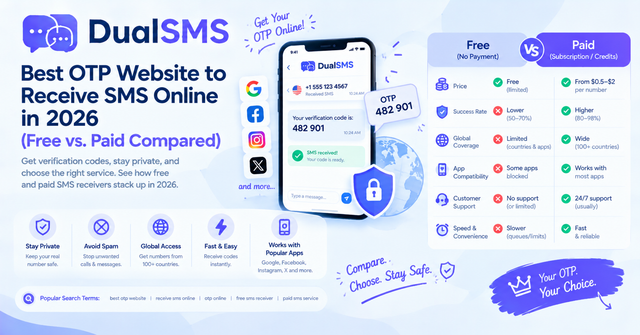
OTP Website Guide: Free vs. Paid Ways to Receive SMS Online (2026)
An OTP website gives you a temporary number to receive one-time SMS codes without your own SIM. Here is how free public sites compare with paid private numbers, and why free ones often fail.
· 4 min read
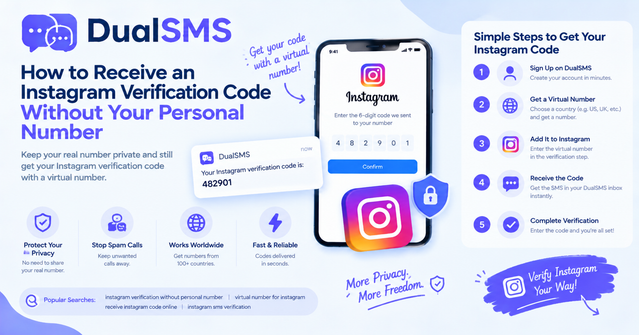
Instagram Verification Code Without Your Personal Number
Instagram code not arriving, or you'd rather not share your personal number? Here are quick fixes and a step-by-step way to receive the code with a virtual number.
· 3 min read
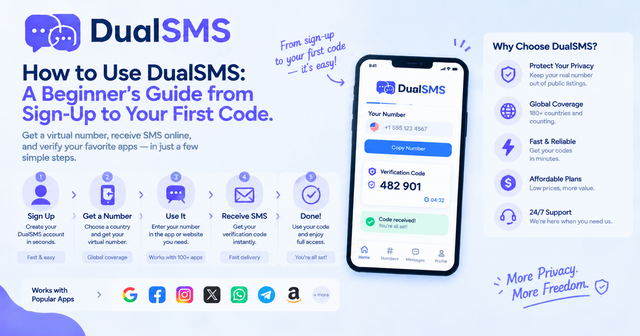
How to Use DualSMS: Beginner’s Guide to First SMS Code
Step-by-step instructions for signing up on DualSMS, choosing a virtual number, and receiving your first verification code. Automatic refunds apply if no SMS arrives.
· 2 min read