Instagram Verification Code Without Your Personal Number
Instagram code not arriving, or you'd rather not share your personal number? Here are quick fixes and a step-by-step way to receive the code with a virtual number.
· 3 min read
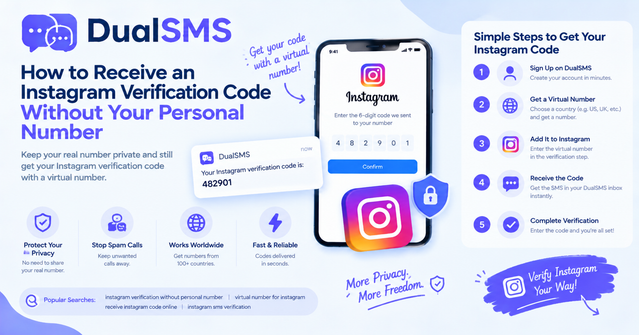
Maybe your Instagram verification code never arrives, or you simply don't want to link your real phone number to a social app. Either way, you have options. This guide covers why codes get lost, quick fixes to try first, and how to use a virtual number from DualSMS to receive the Instagram code in seconds.
Why Instagram codes don't arrive
Before you switch methods, try these quick fixes:
- Wait a few minutes. Messages can be delayed, especially on busy networks. Avoid requesting new codes back to back.
- Check the number format. Include the country code and remove extra zeros, spaces, or brackets.
- Stop after too many attempts. Repeated code requests can trigger a temporary block. Wait a while before trying again.
- Check your carrier or network. Some mobile networks deliver texts slowly. Restarting your phone or switching between Wi-Fi and mobile data sometimes helps.
- Update the app. An outdated version can cause sign-up problems.
- Try the other option. If Instagram offers a different delivery method, such as a call, use it.
If none of these work, or you don't want to use your personal number at all, a virtual number is the next step.
How to receive the Instagram code with DualSMS
- Open the Instagram and Threads virtual number page on DualSMS.
- Choose an available number and note its country code.
- Copy the number.
- Open Instagram, start the sign-up, and choose the phone number option. Paste the number with its country code.
- Tap Next or Send code. Instagram sends the verification text to the virtual number.
- Go back to the DualSMS number page. The code appears there, usually within seconds.
- Enter the code in Instagram and finish creating your account.
- Keep the number page open until verification is complete.
If no SMS arrives, check the refund terms on the service page. Also note that not every number works with every service, so if one is rejected, try another number from the list.
Tip: keep your account safe Once your account is set up, add an authenticator app in your account security settings so you can log in without depending on a temporary number. If you need long-term access to an account, use a rental number that stays active for the period you need, and store your login details somewhere secure.
Other tips for a smooth sign-up
- Use a strong, unique password for every account.
- Add a recovery email address you control.
- Never share verification codes with anyone, including people claiming to be support staff.
- Complete your profile after verification so the account is easier to recognize.
Frequently asked questions
Can I use a virtual number for Instagram? Yes. You can enter a virtual number during sign-up and receive the code on the DualSMS number page.
What if the code still doesn't arrive? Wait a few minutes, check the number format, and avoid repeated requests. If the problem continues, try a different number.
Do I need to keep the number forever? Not necessarily, but if you want long-term access, set up an authenticator app and consider a rental number for the time you need.
Is this the same as using my own SIM? It uses a different phone number to receive the one-time code. Your personal number stays private.
Summary
Most missing Instagram codes come down to timing, number format, or too many attempts. If those fixes fail, a virtual number lets you receive the code without sharing your personal phone. Start on the Instagram and Threads page, follow the steps above, and secure your account afterward.
Questions people ask
Can I use a virtual number for Instagram?
Yes. Enter the virtual number during sign-up and receive the code on the DualSMS number page.
What if the Instagram code still doesn't arrive?
Wait a few minutes, check the number format, and avoid repeated requests. If it keeps failing, try a different number.
Do I need to keep the number forever?
Not necessarily. For long-term access, set up an authenticator app and consider a rental number for the period you need.
Does this protect my personal phone number?
It lets you receive the one-time code on a different number, so your personal number doesn't have to be used for sign-up.
Keep reading

Virtual Number for OTP: Receive Verification Codes Without a SIM
A virtual number lets you receive OTP codes online without your own SIM card. Learn how it works, the difference between VoIP and non-VoIP numbers, and when you should not use one.
· 5 min read
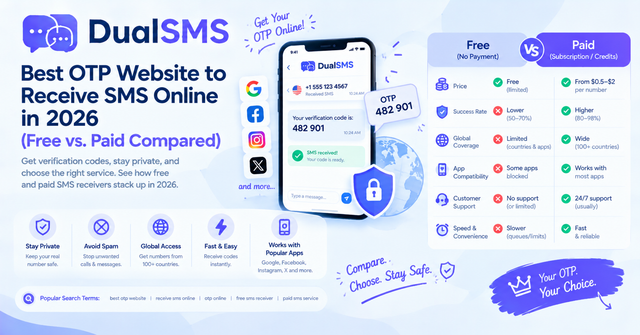
OTP Website Guide: Free vs. Paid Ways to Receive SMS Online (2026)
An OTP website gives you a temporary number to receive one-time SMS codes without your own SIM. Here is how free public sites compare with paid private numbers, and why free ones often fail.
· 4 min read
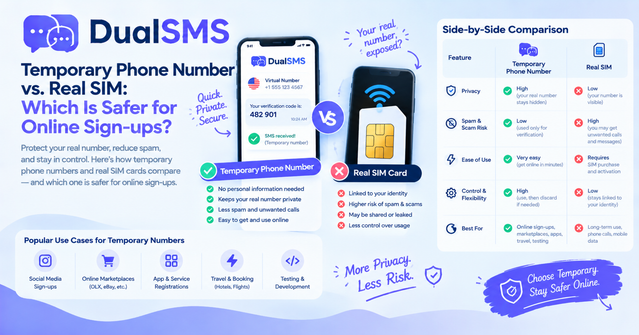
Temporary Phone Number vs. Real SIM: Which Is Safer for Sign-Ups?
A temporary phone number is the better choice for one-time sign-ups where you want to keep your personal number private. A real SIM is the better choice for banking and your main accounts.
· 5 min read