How to Verify Steam, Discord and Epic Games With a Virtual Number
You can verify Steam, Discord and Epic Games accounts with a virtual number so your personal SIM stays private. This guide covers the steps for each platform, country notes, and how to secure accounts afterward.
· 5 min read
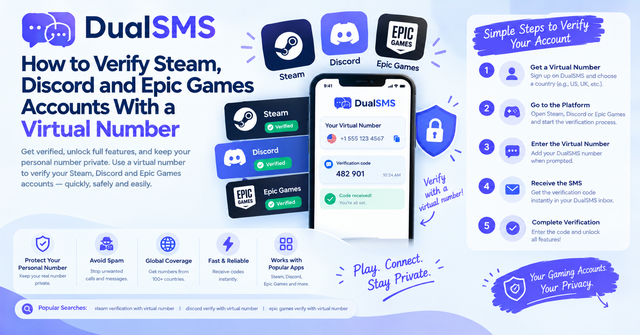
Yes, you can usually verify Steam, Discord and Epic Games accounts with a virtual number. A virtual number receives the SMS code, so your personal number never has to be linked to the account. The steps are similar across platforms, but each one has its own settings menu and quirks, so the sections below cover them separately.
Before you start
- Choose a number that can receive SMS right now. Buy it on DualSMS and keep the page open so you can read the code.
- Have the email address you plan to use for the account ready.
- Use a strong, unique password. A password manager helps.
- Plan to set up two-factor authentication (2FA) once verification is done. The security section below explains how.
Steam phone number verification
Steam lets you attach a phone number to your account, which helps with account recovery and some security features. Steps:
- Sign in to Steam on the web or in the desktop client.
- Open your account settings and find the phone number or Steam Guard section.
- Choose to add a phone number and enter the virtual number with its country code.
- Wait for the SMS. Copy the code from your DualSMS page and enter it on Steam.
- Confirm the change. Steam may send a confirmation to the new number, so check that the code arrived.
If you get an error that the number cannot be used, try a different number from a different range. Some platforms reject certain virtual number ranges, and that is out of your control.
Discord phone verification with a virtual number
Discord may ask for a phone number when you sign up, when you join certain servers, or when your account is flagged for extra checks. If you want the full walkthrough for this platform, see our Discord virtual number page.
- Open Discord and go to the verification prompt, usually shown as a pop-up or in your user settings.
- Enter the virtual number with the correct country code, then request the code.
- Open your DualSMS page and copy the six-digit code as soon as it appears.
- Paste the code into Discord before it expires. If it expires, request a new one and try again.
- Once verified, check your account settings to confirm the phone number is listed.
Discord sometimes limits how many numbers can be linked to one account, and it may not allow a number that was used on many accounts. If that happens, use a different number rather than repeatedly requesting codes on the same one.
Keep reading
Discord Phone Verification Number Without Personal SIM
Learn how to verify your Discord account using a virtual number instead of your personal SIM. This guide covers practical steps for receiving the SMS code quickly and reliably.
· 1 min read

Virtual Number for OTP: Receive Verification Codes Without a SIM
A virtual number lets you receive OTP codes online without your own SIM card. Learn how it works, the difference between VoIP and non-VoIP numbers, and when you should not use one.